The overview is the start page of Tulz. At the top are the key figures: tools in stock, available and on loan, due inspections, open damage reports and today's reservations. Tapping a tile opens the matching list.
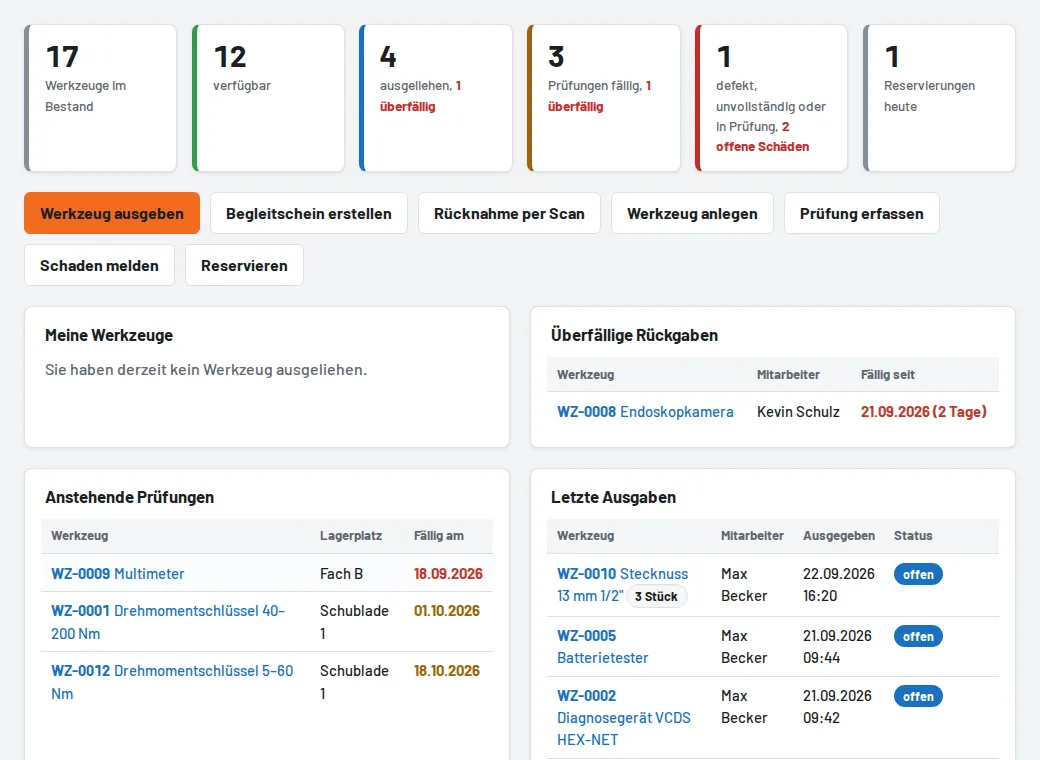
- Shortcuts: issue tool, create pick list, return by scan, create tool, record inspection, report damage, reserve – depending on your role.
- My tools: what you currently have on loan, with return date and a "Return" button.
- Below: overdue loans, due inspections, the latest issues and the log. These sections only load when you scroll down to them.