Under Settings → Email sending choose the sending method:
- Server mail function (PHP mail()): usually works on Plesk without further details if the sender address belongs to the domain.
- SMTP: server, port, encryption (STARTTLS 587 / SSL 465), user, password – e.g. the domain's Plesk mailbox.
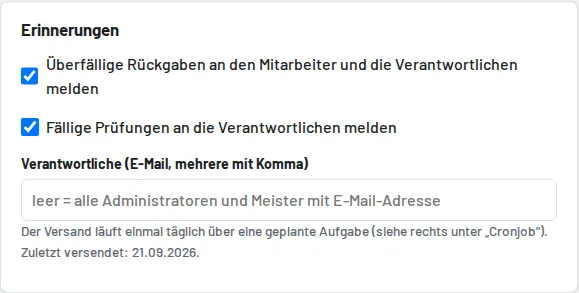
"Send test" checks the setup. Reminders are sent once a day: each employee receives their overdue tools, the managers (entered addresses, otherwise all admins/foremen with an email) a daily summary with overdue returns and due inspections.
The same call also runs the automatic backup (see Backup) and empties the recycle bin when the period has expired. For this, create a daily task in Plesk under Scheduled tasks (e.g. 07:00), either:
- Fetch a URL: https://your-domain.com/cron/erinnerungen?key=… – the full URL with key is shown under Settings → Cron job
Multiple calls on the same day don't send anything twice. "Forgot password" on the sign-in page only works with email sending set up; otherwise the administrator sets a new password under Users.
Links in emails, on labels, in the calendar subscription and in the API use the application address from Settings → Business. It is filled in automatically during installation or on the first visit and only needs to be changed after a change of domain (check under System status).