Replacements for retired or lost tools and new purchases go through Tools → Purchase orders. On goods receipt Tulz creates the tools straight away – with number, price and supplier.
Suppliers
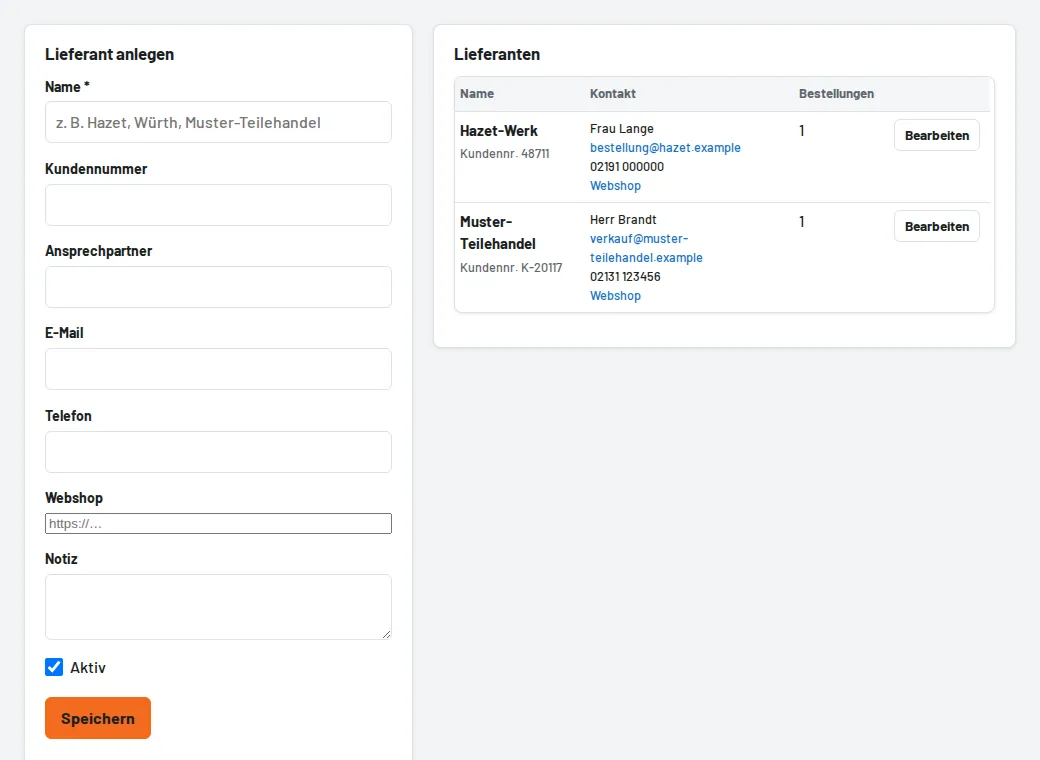
Under Administration → Suppliers store name, customer number, contact person, email and web shop. The supplier can also be entered freely on the tool.
Purchase order
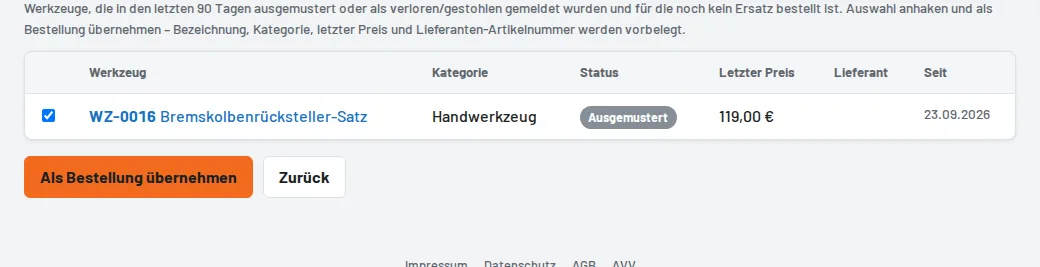
- Purchase orders → Suggestions: tools that were retired or reported lost in the last 90 days. Tick them and Create purchase order – name, category, last price and supplier article number are prefilled.
- Or Create purchase order and enter the items freely (name, article number, category, quantity, price).
- Order by email opens the email to the supplier with all items; afterwards Mark as ordered.
Goods receipt
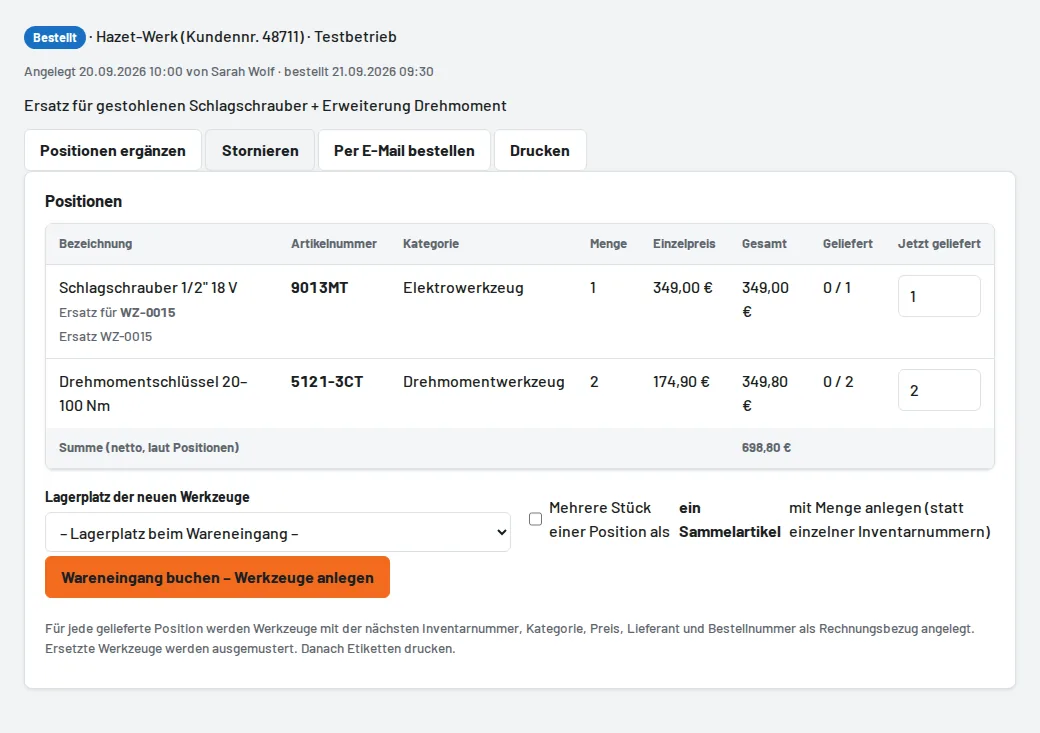
On the purchase order enter the delivered pieces per item, choose the storage location and Book goods receipt – create tools. Tulz creates one tool per piece with the next inventory number, category, price, supplier, article number and the order number as invoice reference; replaced tools are retired. Several identical pieces can also be created as one bulk item with a quantity. Then print the labels. Partial deliveries are possible; the purchase order stays open until the last item.