If you want to know what your tool inventory is worth and what it costs, enter a few figures on the tool – Tulz calculates the rest.
On the tool
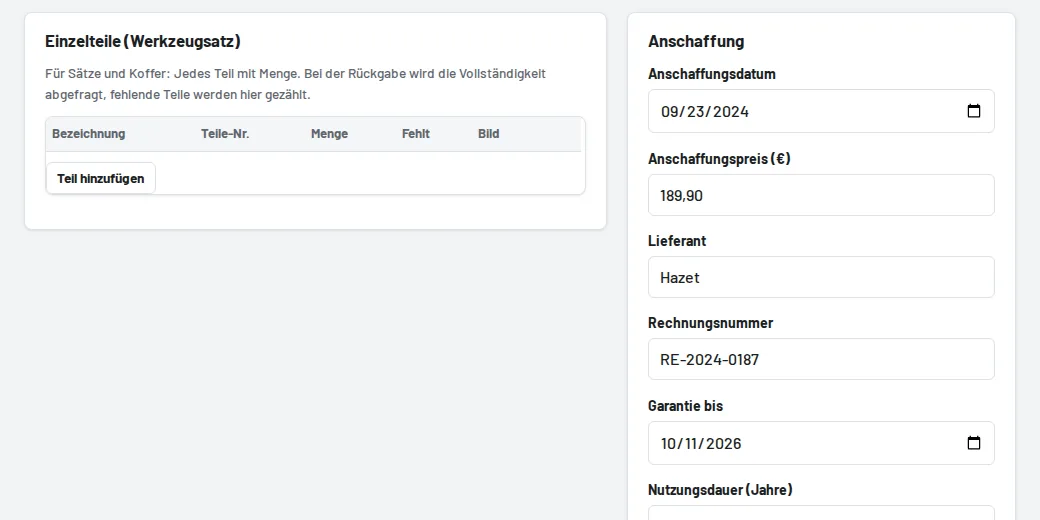
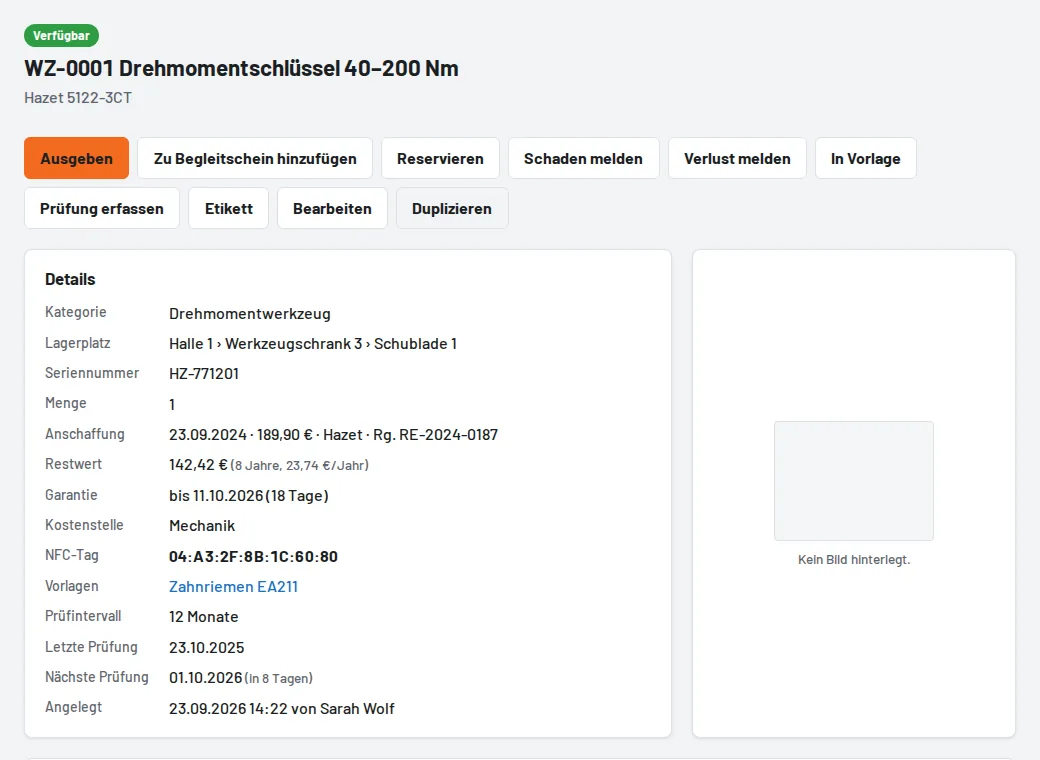
Under Edit → Purchase: purchase date and price, supplier and invoice number, warranty until, useful life in years and cost centre. Price and useful life give the residual value (straight-line depreciation), which is shown on the tool page.
Reports and exports
- Assets (Excel) in the tool list: all tools with price, date, residual value, warranty and cost centre – for fixed asset accounting.
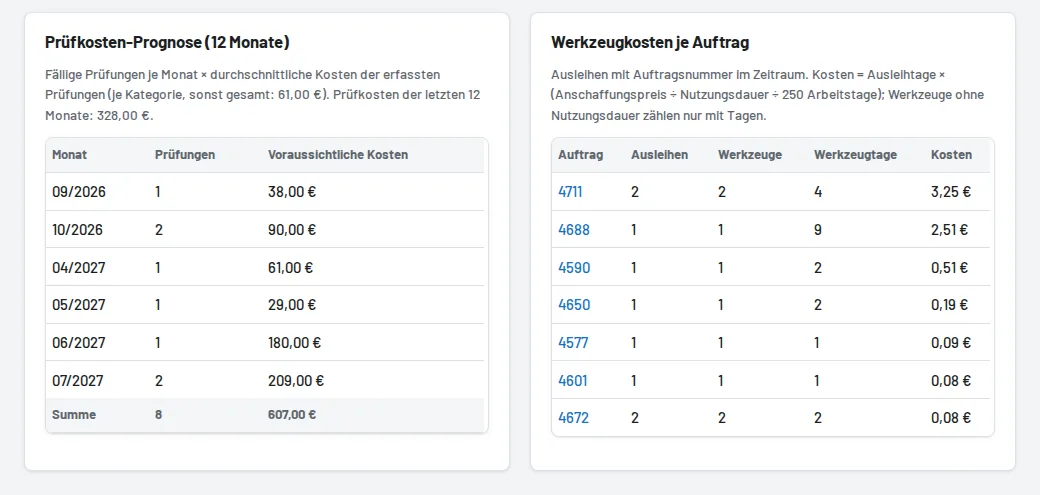
- Inspection costs: enter the costs when recording an inspection (external calibration). From this, Reports show the inspection cost forecast for the next twelve months.
- Dead stock: tools not loaned for 6, 12 or 24 months, with purchase value – candidates for retiring or selling.
- Tool cost per job order: loan days × purchase price ÷ useful life ÷ 250 working days, per job number in the period.
Warranties expiring (within 30 days) are listed on the overview under Warranty expiring and in the daily summary email.