Only trained employees may use high-voltage tools, air-conditioning service equipment or lifting gear. Tulz checks this at every issue and hand-over – also at the kiosk, via pick lists and through the API.
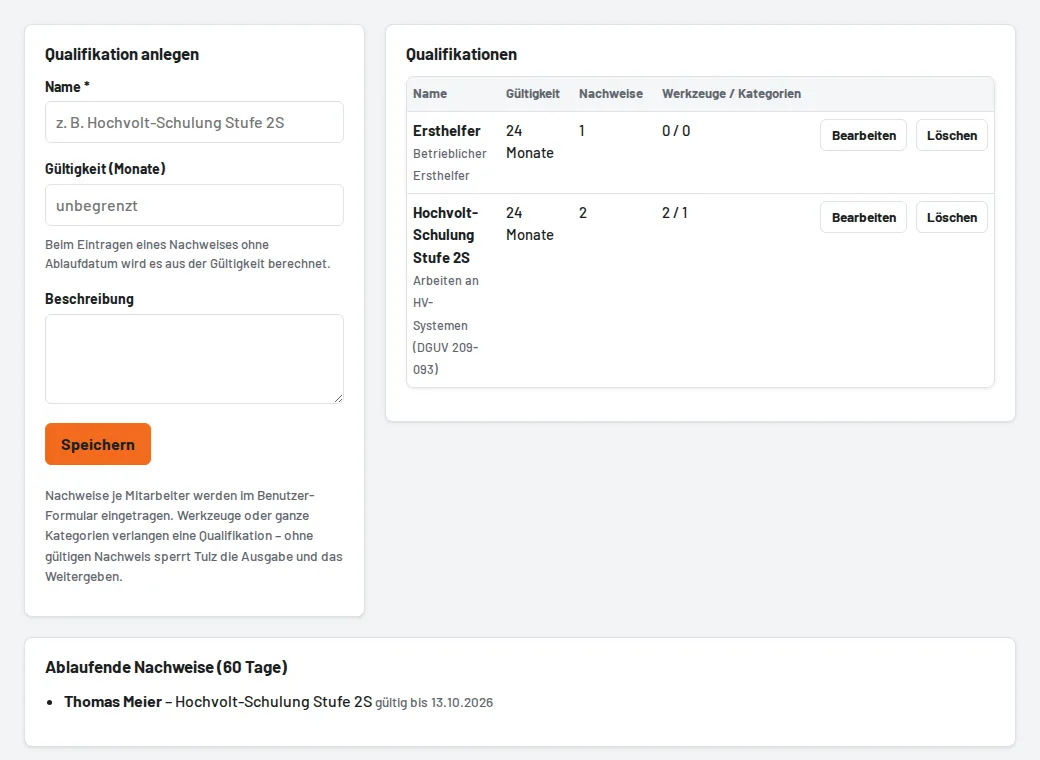
How to set it up
- Administration → Qualifications → Create qualification: name (e.g. "High-voltage training level 2S") and validity in months. Without a validity, certificates do not expire.
- On the employee (Users → edit → Qualifications / certificates) tick who holds the certificate: Granted on and Valid until (empty = calculated from the validity), plus a note such as the certificate number.
- On the tool, under Loan rules & NFC, choose the required qualification – or set it for a whole category (Categories → Required qualification); it then applies to all tools in it that have no setting of their own.
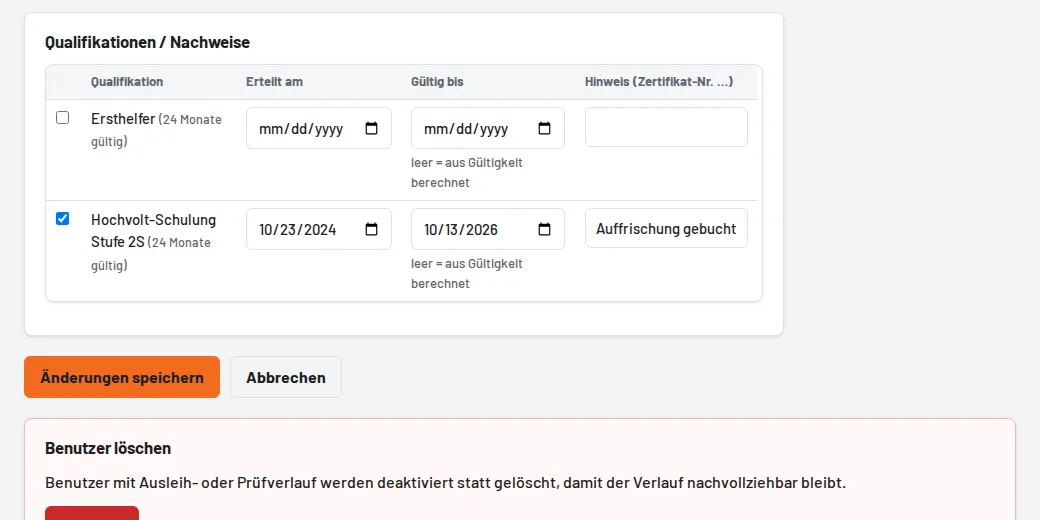

Without a valid certificate Tulz refuses the issue with a clear message. Certificates expiring (within 30 days) appear on the overview under Certificates expiring and in the daily summary email.
Further loan rules
- Issue only by tool issue or foreman on the tool: mechanics cannot book it themselves (four-eyes approval).
- Maximum loan duration per category: it is set if there is no return date, and Tulz refuses a later date for mechanics.
- Maximum open loans per employee under Settings → Workflows. Tool issue and foremen may exceed both limits.