Outgoing webhooks send events from Tulz to other systems: the workshop software receives every issue with the job number, Zapier/Make/n8n or Home Assistant start their own workflows.
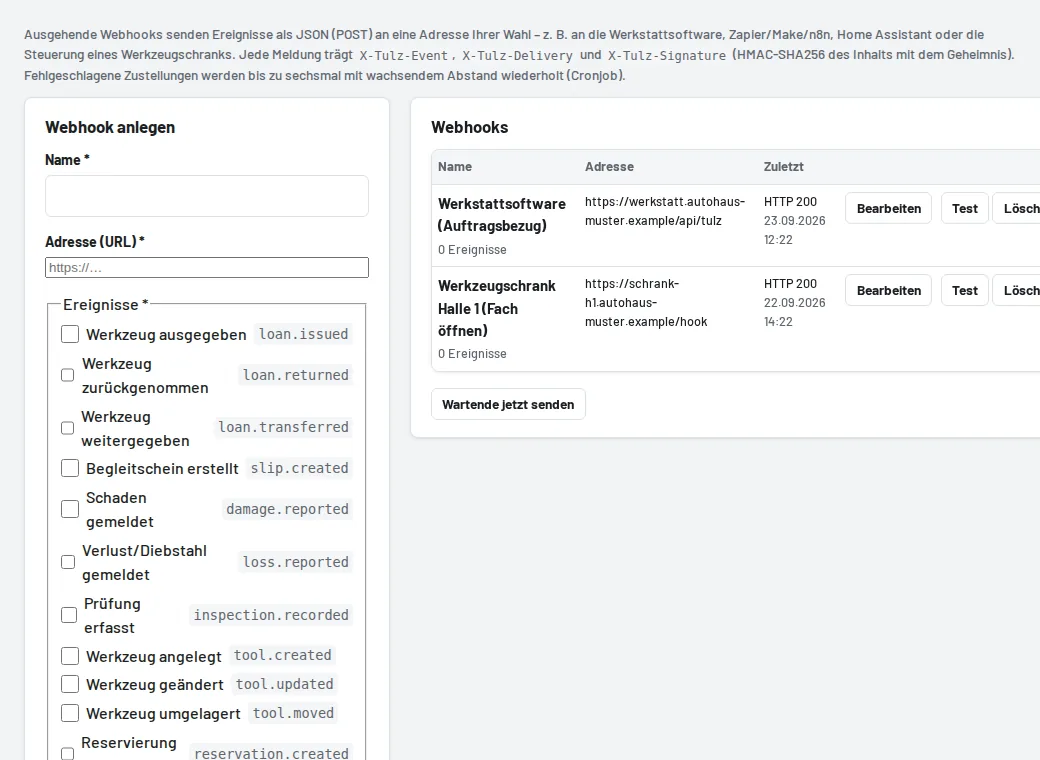
Setup
- Settings → Integrations & devices → Webhooks → Create webhook.
- Enter the recipient's address (https://…) and tick the events: issue, return, hand-over, damage, loss, inspection, new tool, goods receipt.
- Copy the displayed secret – the recipient uses it to check the signature
X-Tulz-Signature(HMAC-SHA256 of the content). It is only shown once. - Test sends a test message; the list shows the last delivery with its HTTP status.
Every message is JSON (POST) with X-Tulz-Event, X-Tulz-Delivery and the tool, employee and job in the content. If the recipient does not answer with 2xx, the cron job retries the delivery up to six times with increasing intervals; you can see errors under Recent deliveries. Addresses in the server's own network are not allowed for security reasons.