Which special tools were used for job order 4711, who had them and for how long? For warranty claims, customer queries or your own job costing, Reports → Tools per job order shows this at a glance – with a tool record as PDF and, if you like, a tool fee for the customer invoice.
Where the job order number comes from
The job order number remains an optional field. It is entered when lending, on the pick list or when planning appointments – loans on a pick list take over its number. Loans without a job order number simply do not appear in this report; nothing else changes.
The report
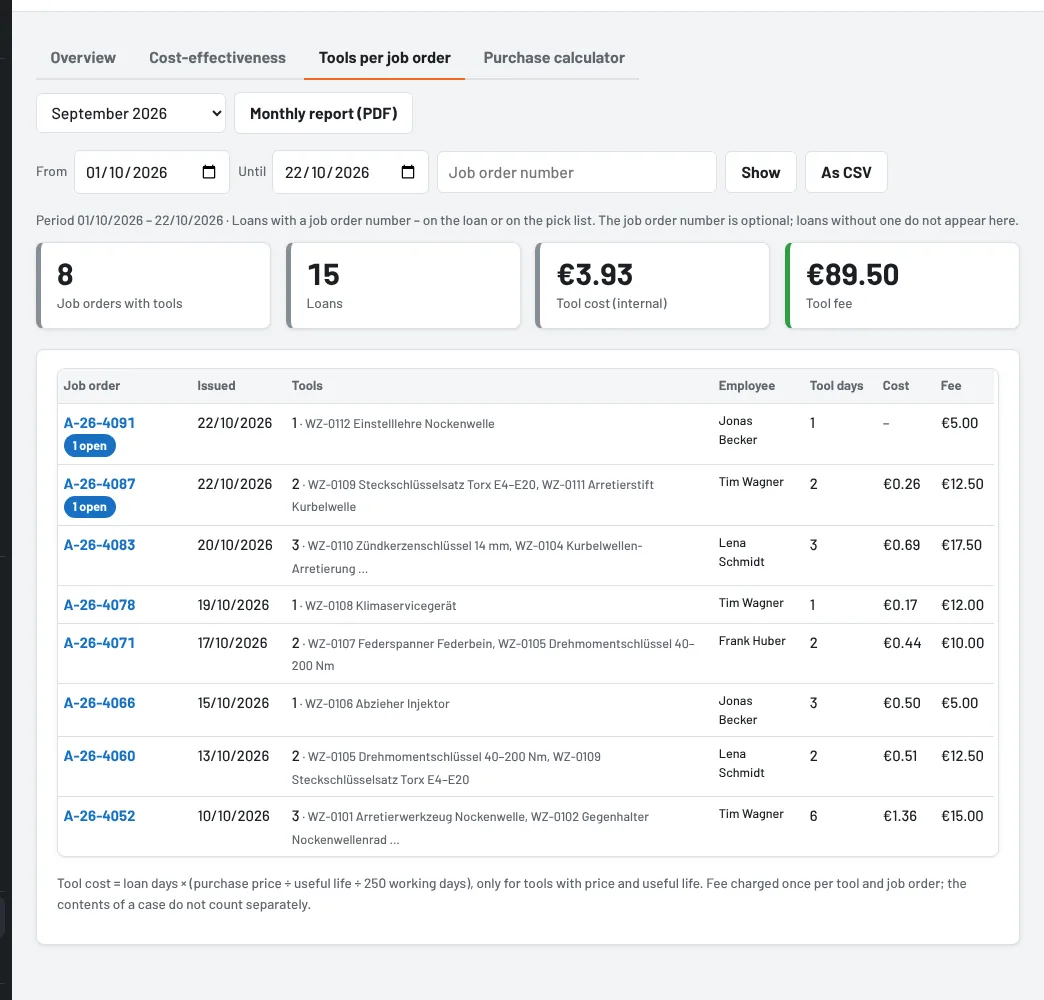
For the selected period, each job order is listed with the day of the first issue, the tools, the employees, the tool days and the internal tool cost (loan days × purchase price ÷ useful life ÷ 250 working days – only for tools with price and useful life). “open” means a tool of the job order is not back yet. Use the Job order number search field to find a job order directly; As CSV gives one row per loan for Excel.
Clicking the job order number opens the job order: all loans with employee, issue, return, condition and pick list – and, if the workshop software sent the appointment, date, registration, vehicle and work. In the loan list and on the pick list, too, the job order number leads here, as long as no link template for job order numbers to the workshop software is entered under Settings → Workflows.
Tool record (PDF)
Tool record (PDF) summarises the job order on one page: business, appointment and vehicle, each tool with inventory number, employee, issue, return and condition. This lets you prove, for example in a warranty claim, that the prescribed special tool was used.
Tool fee (optional)
Some businesses charge a fee for special tools. To do so, enable Show a tool fee per job order under Settings → Job orders and appointments and enter a default fee per tool. The tool then has the field Tool fee per job order under Edit → Purchase: empty = default, an amount of its own, or 0 for tools without a fee.
The fee counts once per tool and job order – even if the tool was handed over or lent twice; the contents of a case do not count separately. The total appears in the report, in the tool record and in the API (e.g. GET /api/auftrag/4711). Tulz does not issue invoices – the workshop software takes over the amount, or you enter it yourself.
Hiding and rights
If you do not need the report, hide it under Settings → Job orders and appointments. Everyone with the right View reports can see it – foremen, tool crib and administrators.
As of