A timing belt change is due, but the camshaft locking tool T40271 is at the business next door: in the workshop network, partner businesses see each other's shared special tools, request them and collect them with a pick list. You find the network in the menu under Network (module Workshop network).
Setting up the network (administrator, Network → Administration)
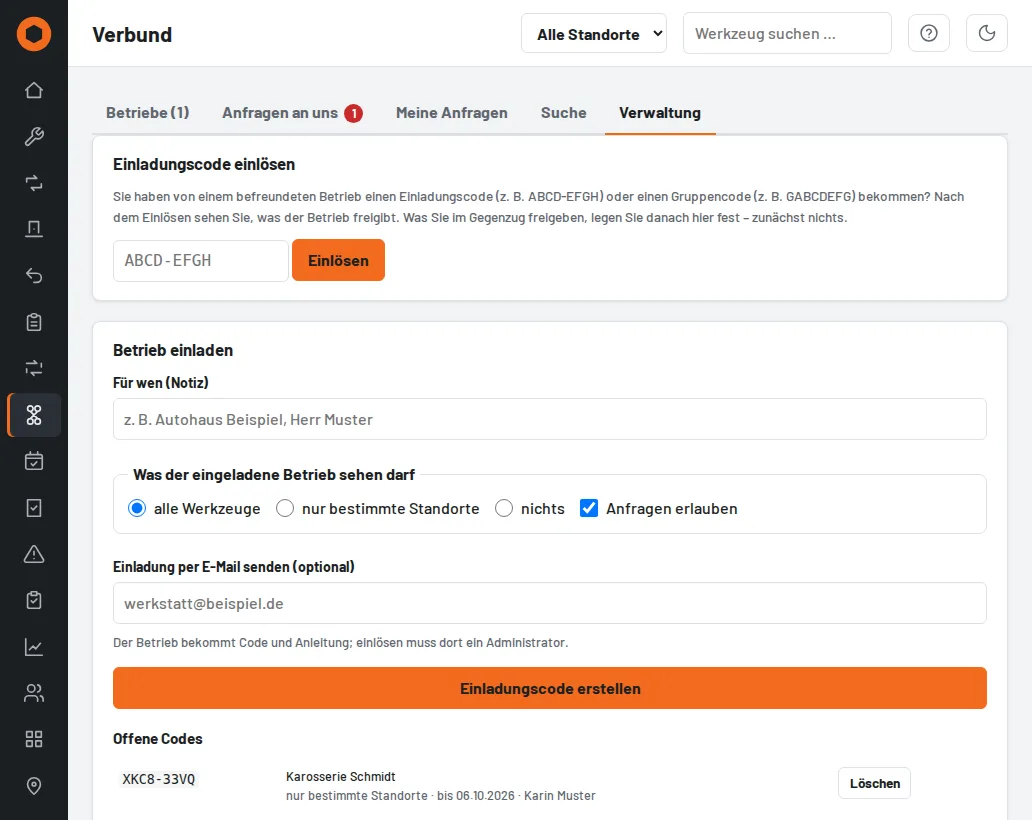
- Invite business: create an invitation code and decide what the other business may see – all tools, only certain sites or nothing – and whether it may send requests. The code is valid for 14 days and once; on request Tulz sends it by email.
- Redeem code: enter the code of a partner business. You then see what it shares. What you show in return is set under Linked businesses – nothing at first.
- Groups: one shared code for a guild, group of companies or dealer network. Whoever redeems it is linked with all members; sharing can then be adjusted per business.
- Loan terms: your text on liability, replacement and return appears on every network pick list.
- You can change sharing at any time; End network link disconnects both sides and cancels open requests.
How sharing works: sharing always applies in one direction only, and the two directions are independent. You decide what the partner sees of your tools (when inviting and afterwards under Linked businesses); the partner decides in their Tulz what you see of theirs. Whoever redeems an invitation code shares nothing at first and sets their sharing themselves afterwards – so "all tools" when inviting does not mean that you automatically see their tools. "nothing" is intended for one-sided links (a business should only borrow without showing anything itself, such as a head office or main dealer). The partner can only send requests if you set Allow requests. Groups are the exception: a group code links all members in both directions with the group's sharing.
What the other business sees: inventory number, name, manufacturer/model, category, site and whether the tool is available, on loan, reserved, in inspection or defective. Not visible are serial numbers, prices, notes, documents, inspection records, damage reports and who has it at the moment.
Requesting a tool (anyone allowed to borrow)
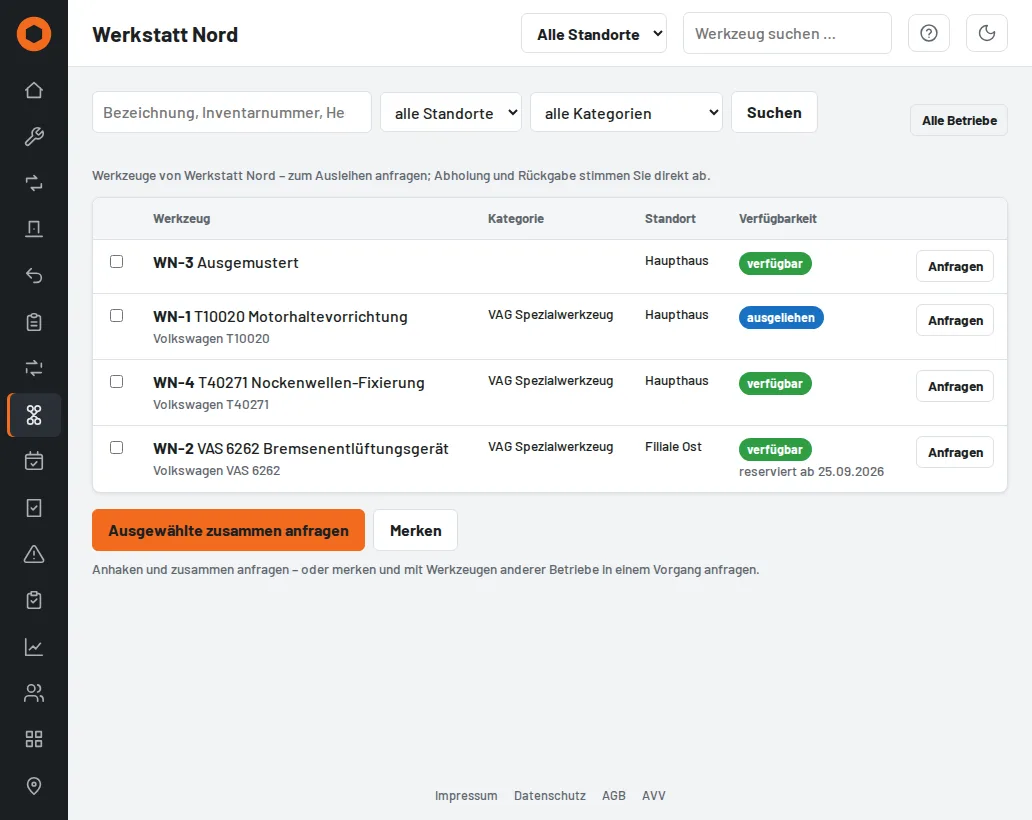
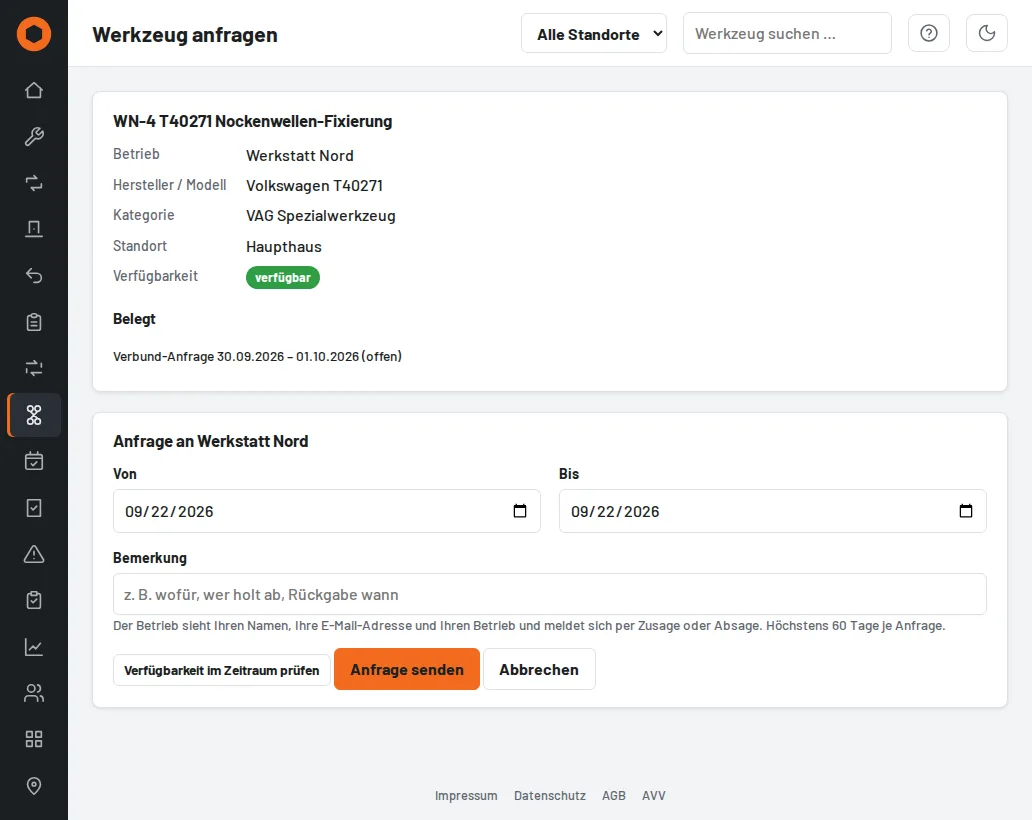
- Businesses: open the business, find the tool, Request with period and note. Check availability in the period shows beforehand whether it is on loan, reserved or due for inspection – with an overdue inspection no request is possible.
- Search: searches the shared tools of all partners at once, e.g. for "T10020" or "brake bleeding device".
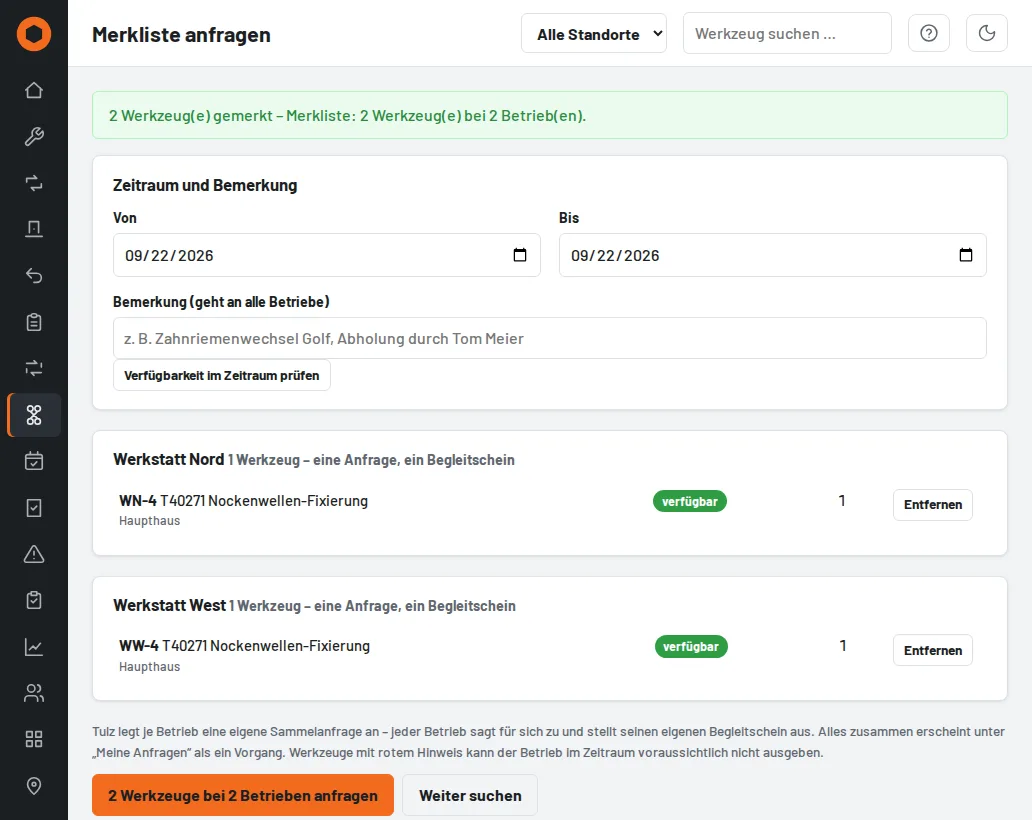
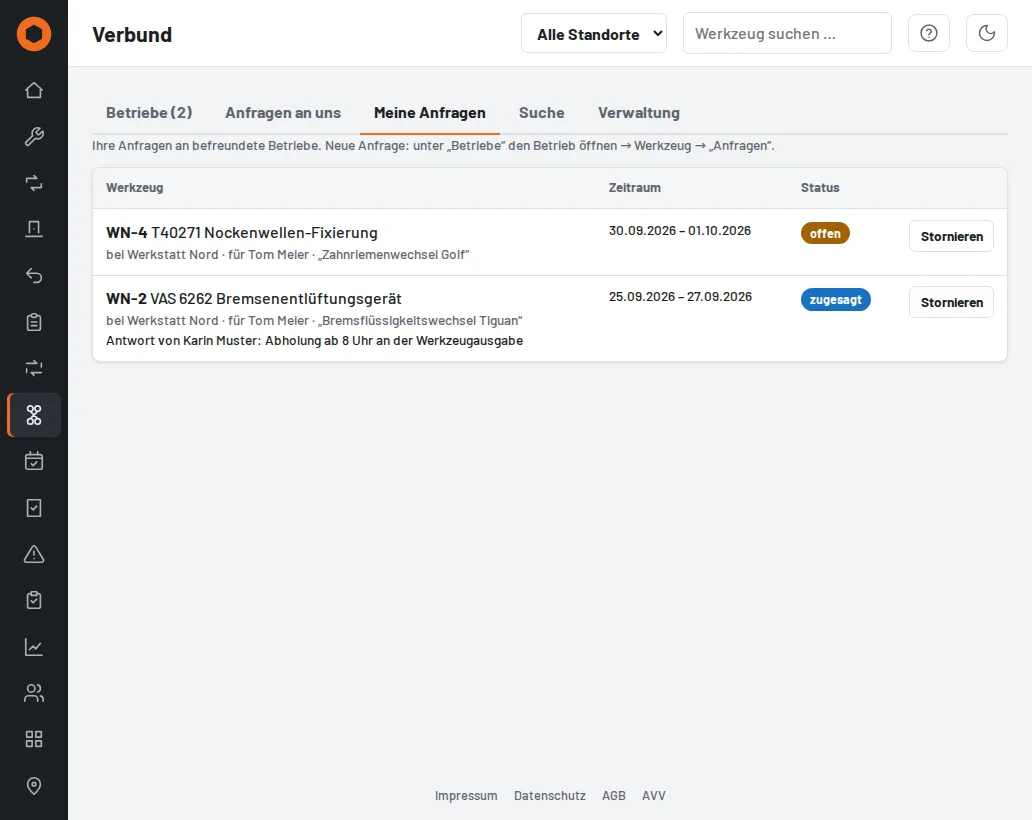
- Watch list: tick tools of any businesses – even several businesses for one job – and request them with one period. Tulz creates a separate request per business; each accepts on its own and issues its own pick list. Under My requests everything appears as one transaction with the status per business.
- If a business declines or the tool is booked in the period, Tulz suggests similar tools of other partners that are free.
Acceptance and hand-over (owning business, Requests to us)
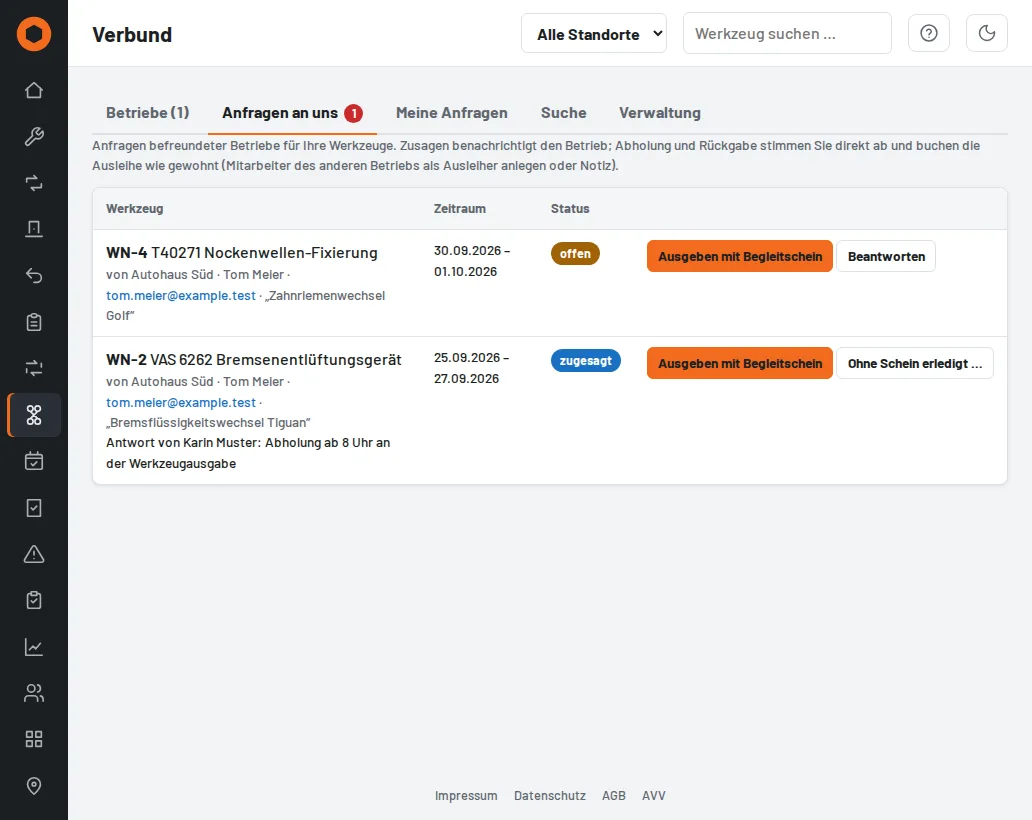
- Accept reserves the tool for the period so that it is not given out internally; Decline with a short note. The requester receives an email each time and sees a counter in the menu.
- Issue with pick list: recipient, tools and return date are prefilled, the person collecting signs the pick list. The request then shows issued; as soon as all items have been taken back, it is completed. Both businesses see the pick list.
- Tulz sends reminders to the partner business about overdue returns. Damage booked on return goes to the partner with a description and is shown on the request.
Good to know: the recipient on the pick list is the partner business (e.g. "Autohaus Süd (network)"). Tulz creates this account itself; it cannot sign in, does not appear in user management and does not count as a user. Collection, return and any compensation are arranged between the businesses.