If a tool is missing at your own site, request it from another site. You can find tools of other sites in the tool list with the "All sites" filter or via the search; they carry a grey site code.
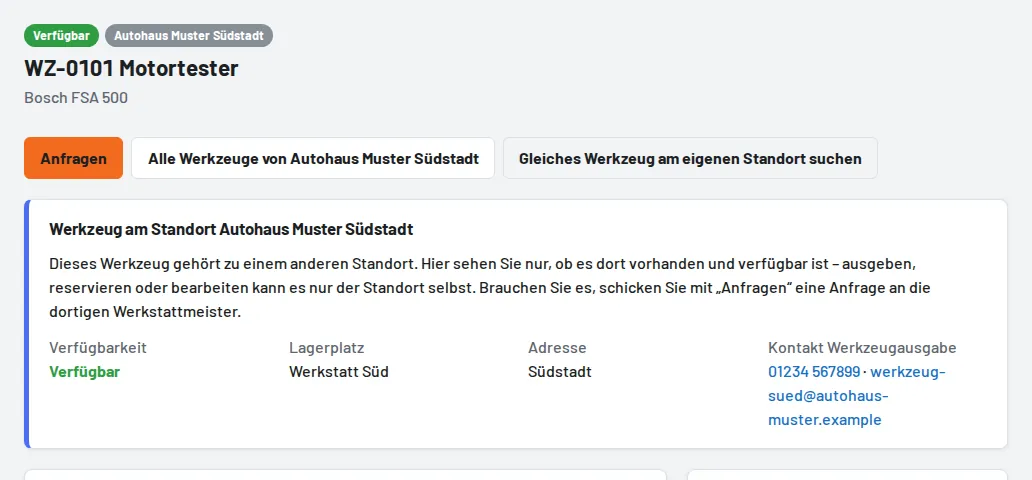
- Open the tool and tap Request.
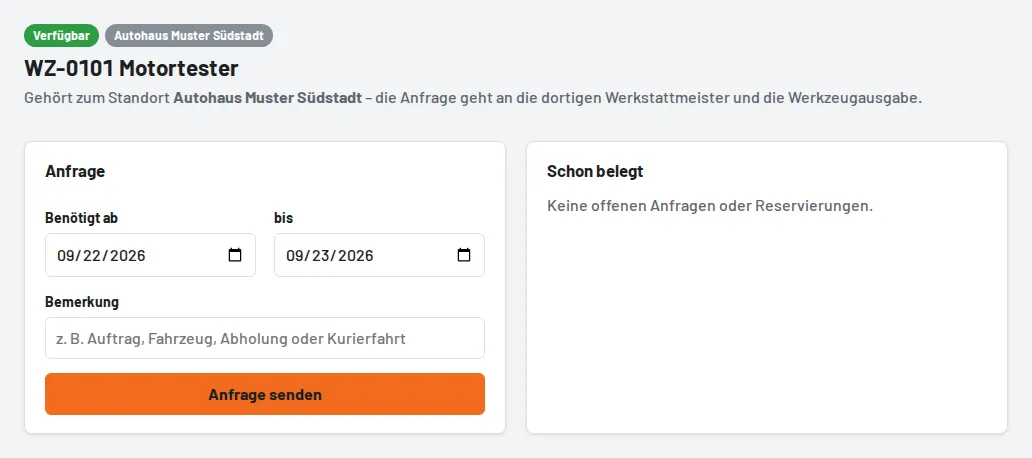
- Choose the period (at most 60 days) and, if needed, add a note such as the job or pick-up. Foremen and tool issue can also request on behalf of a colleague.
- Send request – the workshop foremen and the tool issue of the other site receive an email.
At the other site
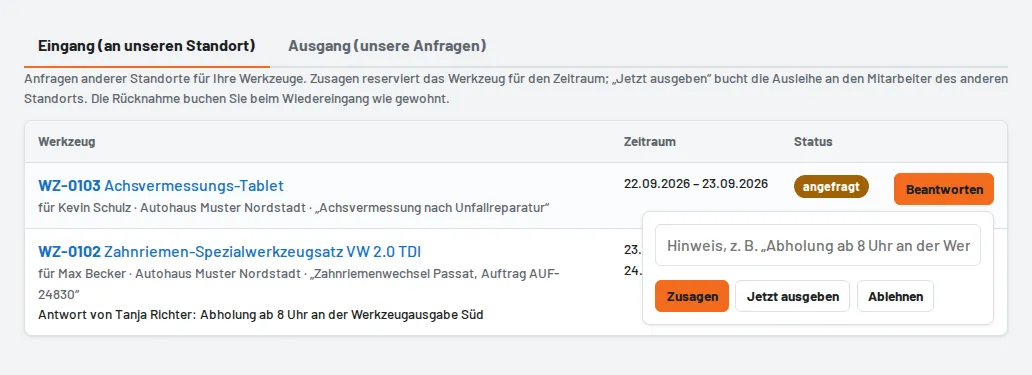
Under Site requests → Inbox (number in the menu), workshop foremen and tool issue answer the request:
- Accept reserves the tool for the period – if it overlaps with another reservation, Tulz lets you know.
- Issue now books the loan to the employee of the requesting site. This is only possible through a request; otherwise bookings stay within your own site.
- Decline with a short reason.
The answer arrives by email and is listed under Site requests → Outbox. The tool is brought back to its own site; there tool issue books the return as usual, and the request then shows "returned". Open requests can be cancelled until the tool is issued. The menu item only exists if the business has several sites.