| Permission | Admin | Foreman | Store | Mechanic | Read only |
|---|---|---|---|---|---|
| View tools | ● | ● | ● | ● | ● |
| Create/edit tools, CSV import | ● | ● | ● | ||
| Delete tools permanently | ● | ||||
| Borrow and return for yourself | ● | ● | ● | ● | |
| Create/delete pick lists for yourself | ● | ● | ● | ● | |
| Pick lists for all employees | ● | ● | ● | ||
| Issue/return for all employees | ● | ● | ● | ||
| Reserve tools for yourself | ● | ● | ● | ● | |
| Manage reservations for everyone | ● | ● | ● | ||
| Report damage | ● | ● | ● | ● | |
| Track and complete repairs | ● | ● | ● | ||
| Record inspections (incl. certificates) | ● | ● | ● | ||
| Carry out stocktaking | ● | ● | ● | ||
| Reports | ● | ● | ● | ||
| Categories and storage locations | ● | ● | ● | ||
| View / manage users | ● / ● | ● / | |||
| Log | ● | ● | |||
| Move by scan, duplicate | ● | ● | ● | ||
| Extend loan (own / all) | ● | ● | ● | ● / | |
| Settings (email, reminders, cron, labels, API) | ● | ||||
| Backup, restore, Google Drive | ● | ||||
| Return by scan (own / all) | ● | ● | ● | ● / | |
| Hand over (own / all loans) | ● | ● | ● | ● / | |
| Sign pick list / remove signature | ● / ● | ● / ● | ● / ● | ● / | |
| Bulk edit | ● | ● | ● | ||
| Recycle bin, system status | ● | ||||
| Create/manage sites (head office only) | ● | ||||
| Head office – see all sites and switch site | ● | ● |
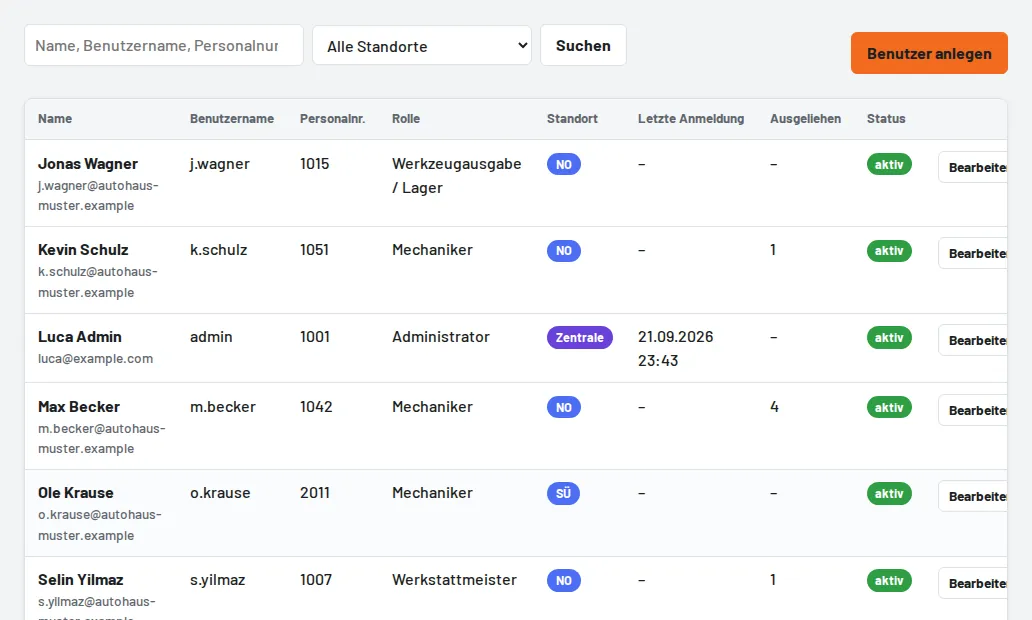
Importing employees by CSV (from 2.27.4): Users → CSV import with a template – columns username, name, email, staff number, role, site, password (only username and name are required). Existing usernames are skipped or updated on request; without a password the employee sets it via "Forgot password" or signs in with SSO.