The workshop foreman is on holiday for two weeks and someone has to approve inspections, create tools and trigger orders: with a temporary deputy an employee gets the rights of another role for a limited time. On the end date their own role applies again automatically – nobody has to remember to take the rights back.
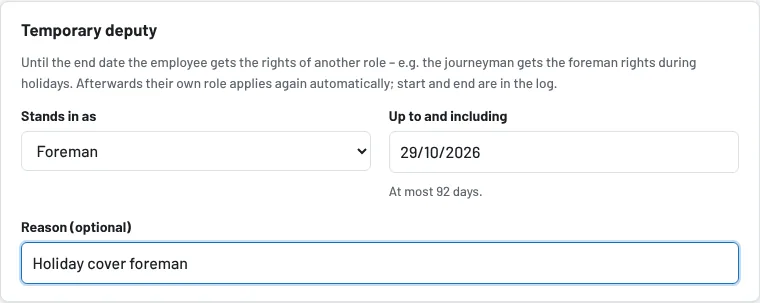
Step 1: Set up the deputy
- Administration → Users, open the deputy (Edit).
- In the Temporary deputy section choose the role they are to stand in for (e.g. workshop foreman), set the end date (at most 92 days) and add a note if needed ("holiday cover foreman").
- Save.
Only administrators set up deputies – and never for their own account. A head-office employee (without a site) can only stand in for administrator, workshop foreman or accounting.
What applies then
- In Tulz the deputy immediately sees all functions of the deputy role; at the bottom of the sidebar "· Deputy" is shown next to their role.
- They receive a notification (bell, push if wanted): until when the rights apply and who set them up.
- In the user list a note Deputy: Workshop foreman until 28/03 shows the running deputyship.
- Notifications to a role (e.g. "inspection due" to foremen) also reach the deputy.
- Every booking appears under their name in the history as usual; start and end of the deputyship are in the activity log.
Ending or extending
- End early: set the role to "– no deputy –" for the user and save. The rights stop immediately.
- Extend: enter a new end date (again at most 92 days from today).
- Permanently: for longer than three months change the user's actual role – a deputyship is meant for holidays, sick leave and projects.
After the end date the rights no longer apply; the nightly run removes the deputyship and notifies the employee. The end date itself still counts.
As of