The menu shows Help or – once support is switched on – Help & support; at the top right the "?" button shows the help for the page you have open.
- Help articles: search field at the top, below it the articles for the current page and all articles by topic. At the end of each article: "Was this helpful?".
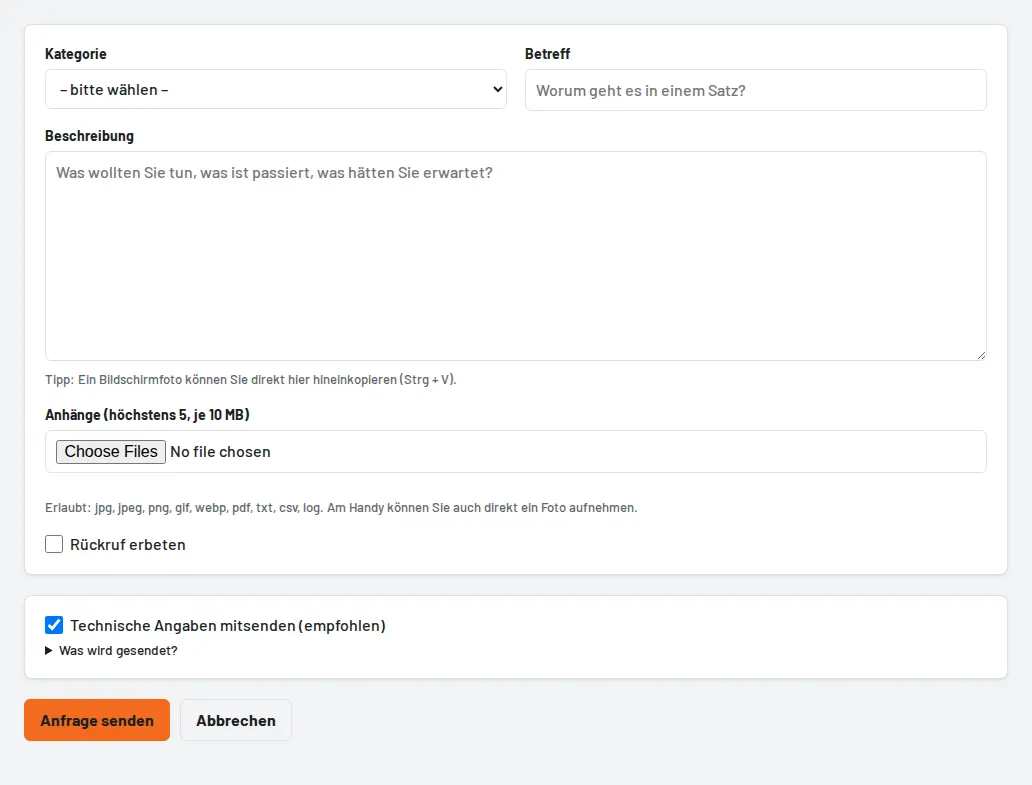
- Sending a request: New request – category, subject, description, up to 5 attachments. A screenshot can be pasted directly into the description with Ctrl + V. Matching help articles appear while you type the subject. Only tick "Work is at a standstill" if you cannot work without a solution; a callback can be requested. The technical details (version, plan, device, recent errors – no tool or employee data) can be viewed and deselected before sending.
- Answers: arrive in the ticket and by email; you can reply to the email directly. A red badge on the menu shows new answers. With "Problem resolved" you close the request yourself; afterwards you can rate it with 1–5 stars.
- Who may? Everyone sees their own requests, administrators all requests of the business. Under Help & support → Settings the administrator decides which roles may send requests and who gets a copy of all support emails.
- Support access: if support needs to look into your business, an administrator grants access under Help & support → Support access – 24 hours to 7 days, "read only" or "read and change", revocable at any time. Users, settings and data export always remain locked; every access is in the log.
- Without signing in: "Problems signing in?" on the sign-in page leads to a contact form.
- Announcements: notices about maintenance, outages and news appear at the top of the page and under Help & support → Announcements.